
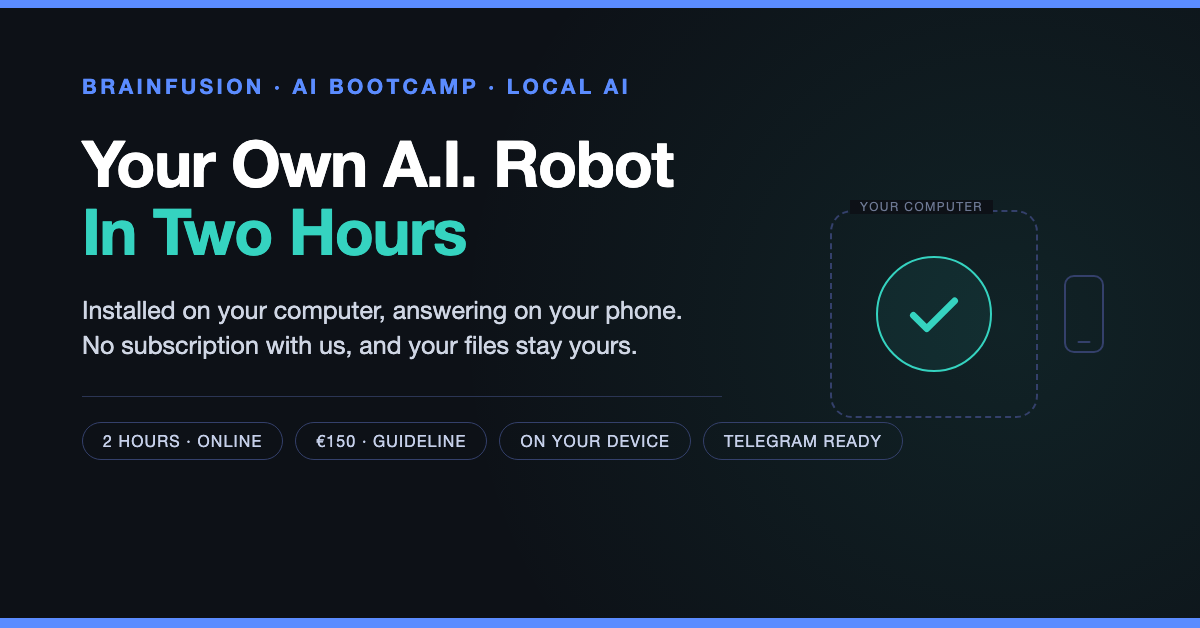
In two hours you have your own AI assistant on your own machine — and it answers you on your phone. No subscription with us, no account we manage, and your files stay where they belong: with you.
We install it together, we test it together, and you leave knowing how to run it — including how to switch it off.
What this is
A two-hour online bootcamp in which we install your own AI robot on your own computer, and set up the line to your phone. When we are done, you open Telegram, type a question, and your robot answers. From your phone, from the train, from the kitchen — the computer at home or in the office does the work.
It is the same setup we use ourselves, on the same kind of hardware. Not a demo, not a trial account, not a subscription that stops when someone else changes their pricing.
What you get in those two hours
- The installation, done and working — the assistant, the connection to a model, and the checks that prove it actually runs, on your machine, under your own user account.
- The line to your phone — a Telegram bot of your own, locked to your account, so nobody else can talk to it.
- The commands you will actually use — how to ask, how to correct, how to stop it, how to start over, and how to see what it did.
- Starting and stopping it properly — set up so it comes back by itself after a reboot, and so you can switch it off.
- A backup you control — including how to put it back, which is the part everyone forgets.
- Answers in your language — Dutch or English, and it stays that way.
An example of what comes out of it: this film for MyAnonMail — 45 seconds — was made with exactly this setup: one assistant, no studio, no editor, on a fifteen-year-old laptop.
Beyond the standard: your own wishes
The standard path — install, connect, talk through Telegram, test after a reboot — fits in those two hours with room to breathe. Everything beyond that is possible too, but it needs to be prepared, because a wish that surfaces in minute 95 is a wish we cannot honour.
So this is how it works. You write your wishes in the comments of your booking. I read them, and I follow up by mail before we start: what exactly do you want, is it possible, what does it cost in time, and does it fit in two hours or do we need a longer slot. We agree on it in writing. Then we build it.
That is not bureaucracy. It is the difference between a session where your specific problem is solved and a session where we run out of time explaining what we could have done.
The brain: a big model in the cloud, or 100% local
The assistant is the hands. The model is the brain. You choose which brain it uses, and you can change your mind later without starting over.
- A large model in the cloud — frontier-model capability: the strongest brain of this moment, for a fraction (1/100) of what the big providers charge. The provider, the account and the routing are my part of the setup, with one that does not look at your conversations and does not train on them. Your files, your conversations, your settings and everything the assistant learns stay on your machine; what you type goes out to be answered, and that is all. It is fast, and for most work it is the sensible choice.
- A local model, on your own machine — slower, smaller, and completely self-contained. Nothing leaves the computer. It is the option you want for a financial plan, medical questions, a client file, or anything you would not put in an email.
- Both, side by side — which is what I do: the cloud model for planning, the local one for the things that stay in the house. Switching is one command, and it is part of the bootcamp if you want it.
Be careful with the word “free” when it comes to cloud models. If a service costs nothing, you are usually the product: your questions become training material, or a dataset that gets sold. That is not a conspiracy, it is in the terms, and nobody reads them.
Made on a fifteen-year-old laptop
Every film on this site was made with this setup. The Pentecost film, the Timbre film, the one above: produced on a fifteen-year-old laptop with an old dual-core processor and 8 GB of memory, by an assistant running exactly where it runs for you.
That is the point of the bootcamp. Not “look what a large company can do with a large budget”, but “look what is possible on the hardware you already have”. The services below were all built and filmed that way, and they are all worth a look if you run a business:
- MyChat (Pentecost) — real-time chat with live translation in 20 languages, where the translation runs on our own machines.
- MyVideo (Timbre) — subtitles in which you can see who is talking, generated on your computer instead of uploaded to a platform.
- MyVPN — your own mesh network, so your devices talk directly to each other instead of through someone else.
- MyAnonMail and Vault — email aliases and a password manager that keep your identity and your keys to yourself.
- Children’s books made with local AI — the most honest test there is: images and text generated at home, for stories you would not hand to a stranger, but created on a MacBook Pro M5 Max where several LLM’s worked on 1 project.
For English speakers: go to the master
If you read English more comfortably than Dutch, do not start with me. Start with zachvorhies.com/ai — that is where the method, the reasoning and the examples come from, and it is better than anything I could write about it. Come back when you want it installed on your own machine; that is the part I do.
Practical
Service & Provider
Service: AI installatie + configuratie
Provider: Patrick Bömer
Duration: 120 minutes · Indicative price: €150.00 · Location: online
- What you need — a computer that stays on (Linux or a recent Mac), a stable internet connection, and an account with a model provider. We sort out the provider in the session; you pay them directly, not me.
- What it costs — €150 is the guideline for the two hours, not a wall. If it turns out to be worth more to you, you are welcome to pay more; if it was worth less, say so and we settle it. Paying what you think it is worth is always possible — that is how I have always worked. A model provider costs a few euros to a few dozen euros per month, on your own account with your own limit.
- More time — if your wishes need it, we agree on that in advance, by mail, before the session. No surprises on the invoice.
- Afterwards — thirty days of questions by mail are included. After that, you know where everything is, or we make a new appointment.
Let’s be honest
This is not a product you buy in a box. It is a machine, a model and a person who explains it to you for two hours. If your computer is fifteen years old like mine, it works, but it is not fast. If you never type anything and hate terminal windows, this will feel like work — although the robot itself is used from Telegram, which you already know. And if you expect it to replace your bookkeeper, your lawyer or your own judgement, it will disappoint you, because it should.
What it does do: it takes the work that is too small for a person and too big for your evening, and it does it on your own machine, at your own pace, with your own data staying where it belongs.
Earlier in this series: Just throw it in ChatGPT · How can you use AI? · Suppose you run your own AI coder locally
In het Nederlands
In twee uur heb je je eigen AI-assistent op je eigen machine — en hij antwoordt je op je telefoon. Geen abonnement bij ons, geen account dat wij beheren, en je bestanden blijven waar ze horen: bij jou.
Een online bootcamp van twee uur waarin we samen jouw eigen AI-robot installeren op jouw eigen computer, en de lijn naar je telefoon opzetten. Als we klaar zijn, open je Telegram, typ je een vraag, en je robot antwoordt. Vanaf je telefoon, vanuit de trein, vanuit de keuken — de computer thuis of op kantoor doet het werk.
Het is dezelfde opstelling die wij zelf gebruiken, op hetzelfde soort hardware. Geen demo, geen proefaccount, geen abonnement dat stopt zodra iemand anders zijn prijzen aanpast.
Wat je in die twee uur krijgt
- De installatie, gedaan en werkend — de assistent, de koppeling met een model, en de controles die bewijzen dat het echt draait, op jouw machine, onder jouw eigen account.
- De lijn naar je telefoon — je eigen Telegram-bot, vastgezet op jouw account, zodat niemand anders ertegen kan praten.
- De opdrachten die je echt gaat gebruiken — hoe je iets vraagt, hoe je bijstuurt, hoe je hem stopt, hoe je opnieuw begint, en hoe je ziet wat hij gedaan heeft.
- Goed starten en stoppen — zo ingesteld dat hij na een herstart vanzelf terugkomt, en dat je hem ook echt uit kunt zetten.
- Een backup die van jou is — inclusief het terugzetten, want dat is het deel dat iedereen vergeet.
- Antwoorden in jouw taal — Nederlands of Engels, en dat blijft zo.
Een voorbeeld van wat er uit komt: de film hierboven voor MyAnonMail — 45 seconden — is met precies deze opstelling gemaakt.
Buiten de standaard: jouw wensen
Het standaardpad — installeren, koppelen, via Telegram praten, testen na een herstart — past ruim in die twee uur. Alles daarbuiten kan ook, maar het moet voorbereid worden, want een wens die in minuut 95 op tafel komt is een wens die we niet kunnen inlossen.
Zo werkt het dus. Je schrijft je wensen in de opmerkingen bij je boeking. Ik lees ze, en ik mail je vóór de sessie: wat wil je precies, kan het, hoeveel tijd kost het, en past het in twee uur of hebben we een langer blok nodig. We spreken het schriftelijk af. Dan bouwen we het.
Dat is geen bureaucratie. Het is het verschil tussen een sessie waarin jouw probleem wordt opgelost en een sessie waarin we tijd verliezen aan uitleggen wat we hadden kunnen doen.
Het brein: een groot model in de cloud, of 100% lokaal
De assistent zijn de handen. Het model is het brein. Jij kiest welk brein hij gebruikt, en je kunt later wisselen zonder opnieuw te beginnen.
- Een groot model in de cloud — capaciteit van een frontier-model: het sterkste brein van dit moment, voor een fractie (1/100) van wat de grote aanbieders rekenen. De leverancier, het account en de routering zijn mijn deel van de opstelling, bij een partij die niet in je gesprekken kijkt en er niet op traint. Je bestanden, je gesprekken, je instellingen en alles wat de assistent leert blijven op je machine; wat je typt gaat mee om beantwoord te worden, meer niet. Het is snel, en voor de meeste klussen de verstandige keuze.
- Een lokaal model, op je eigen machine — trager, kleiner en volledig op zichzelf. Er gaat niets de deur uit. Het is de optie die je wilt voor een financieel plan, medische vragen, een klantdossier, of alles wat je niet in een e-mail zou zetten.
- Beide, naast elkaar — dat is wat ik doe: het cloudmodel voor het plannen, en het lokale model voor de dingen die in huis moeten blijven. Wisselen is één opdracht, en het hoort bij de bootcamp als je dat wilt.
Wees voorzichtig met het woord “gratis” bij cloudmodellen. Kost een dienst niets, dan ben je meestal het product: je vragen worden trainingsmateriaal, of een dataset die verkocht wordt. Dat is geen complot, het staat in de voorwaarden, en niemand leest die.
Gemaakt op een laptop van vijftien jaar oud
Elke film op deze site is met deze opstelling gemaakt. De film van Pentecost, de film van Timbre, die hierboven: geproduceerd op een laptop van vijftien jaar oud met een oude dual-core processor en 8 GB geheugen, door een assistent die precies draait waar hij voor jou ook draait.
Dat is het punt van de bootcamp. Niet “kijk wat een groot bedrijf kan met een groot budget”, maar “kijk wat er kan op de hardware die je al hebt”. De diensten hieronder zijn allemaal zo gebouwd en gefilmd, en ze zijn allemaal de moeite waard als je een bedrijf runt:
- MyChat (Pentecost) — chat met live vertaling in 20 talen, waarbij de vertaling op onze eigen machines draait.
- MyVideo (Timbre) — ondertitels waarin je ziet wie er praat, gemaakt op jouw computer in plaats van geüpload naar een platform.
- MyVPN — je eigen mesh-netwerk, zodat je apparaten rechtstreeks met elkaar praten in plaats van via iemand anders.
- MyAnonMail en Vault — e-mailaliassen en een wachtwoordkluis die je identiteit en je sleutels bij jezelf houden.
- Kinderboeken met lokale AI — de eerlijkste test die er is: beeld en tekst thuis gegenereerd, voor verhalen die je niet aan een vreemde geeft. Maar dan gemaakt op een MacBook Pro M5 Max , met meerdere LLM’s die samen werken aan 1 project.
Voor Engelstaligen: ga naar de master
Lees je Engels prettiger dan Nederlands, begin dan niet bij mij. Begin bij zachvorhies.com/ai — daar komen de methode, de redenering en de voorbeelden vandaan, en het is beter dan alles wat ik erover zou kunnen schrijven. Kom terug als je het op je eigen machine geïnstalleerd wilt hebben; dat is het deel dat ik doe.
Praktisch
Service & Provider
Service: AI installatie + configuratie
Provider: Patrick Bömer
Duur: 120 minuten · Richtprijs: €150,00 · Locatie: online
- Wat je nodig hebt — een computer die aan blijft staan (Linux of een recente Mac), een stabiele internetverbinding, en een account bij een modelleverancier. Die leverancier regelen we in de sessie; je betaalt hem rechtstreeks, niet mij.
- Wat het kost — €150 is de richtprijs voor de twee uur, geen muur. Vind je achteraf dat het meer waard was, dan mag je meer betalen; vond je het minder waard, zeg het en we lossen het op. Betalen wat je het waard vindt kan altijd — zo werk ik altijd al. Een modelleverancier kost een paar euro tot enkele tientallen euro’s per maand, op je eigen account met je eigen limiet.
- Meer tijd — als je wensen dat vragen, spreken we dat vooraf per mail af, vóór de sessie. Geen verrassingen op de factuur.
- Daarna — dertig dagen vragen per mail inbegrepen. Daarna weet je waar alles staat, of we maken een nieuwe afspraak.
Eerlijk gezegd
Dit is geen product dat je in een doos koopt. Het is een machine, een model en iemand die het twee uur aan je uitlegt. Is je computer vijftien jaar oud zoals de mijne, dan werkt het, maar het is niet snel. Typ je nooit iets en heb je een hekel aan terminalvensters, dan zal dit als werk voelen — al gebruik je de robot zelf vanuit Telegram, en dat ken je al. En verwacht je dat hij je boekhouder, je jurist of je eigen oordeel vervangt, dan valt hij tegen, want dat hoort ook zo.
Wat hij wél doet: het werk oppakken dat te klein is voor een mens en te groot voor je avond, en dat doen op je eigen machine, in je eigen tempo, met je eigen gegevens waar ze horen.
Keep the conversation going
Also on Telegram
New posts, short notes and what’s going on — in the Brainfusionchannel on Telegram. Follow @Brainfusion →